Your order:
Clear cart
Promo code
Subtotal
$0.00
Discount
$0.00
Total
$0.00
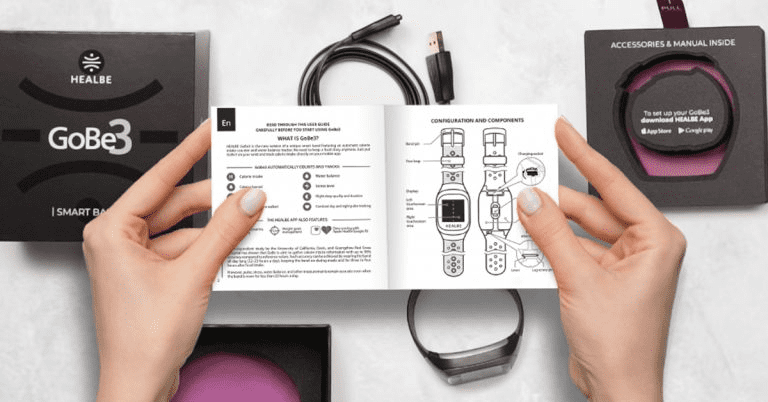
Thank you for purchasing HEALBE GoBe3 smart band
It’s time to unwrap your shiny new smart band and update its software to the most advanced version. To make it more comfortable for you, we’ve prepared the guide in two versions: video and text. Let’s go!
Before activating your GoBe3 for the first time, peel off the protective film from the band and wipe all external surfaces with a dry cotton pad.
Make sure the charging contacts inside your GoBe are clear and dry, and so are the contacts on your charging cable. Contamination could lead to charging failure.
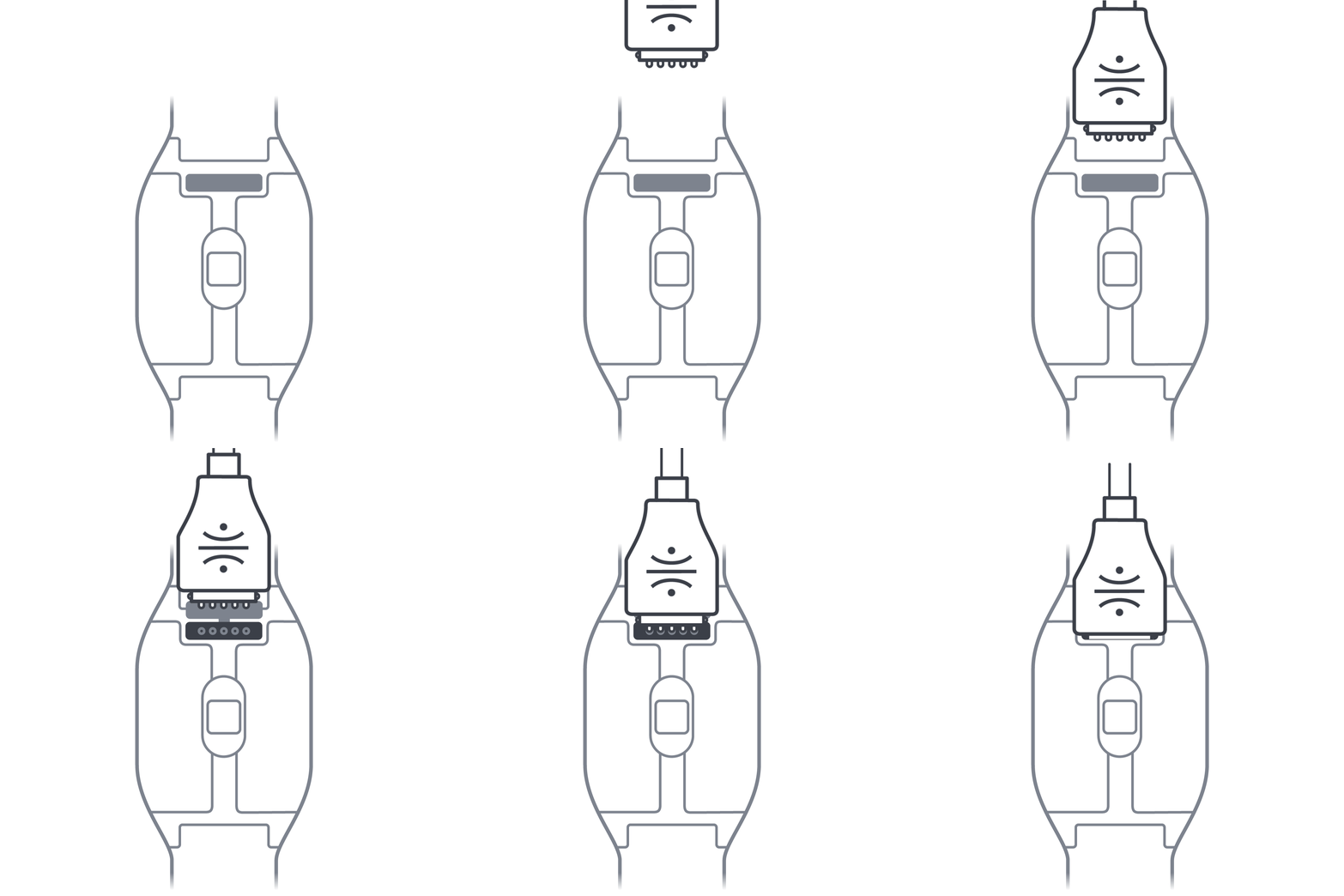
Pull out the charging socket’s plug located on the rear of the band. Make sure that the HEALBE logo is directed toward the band’s sensors. Сonnect the charging cable to the socket. Push the cable in until it stops
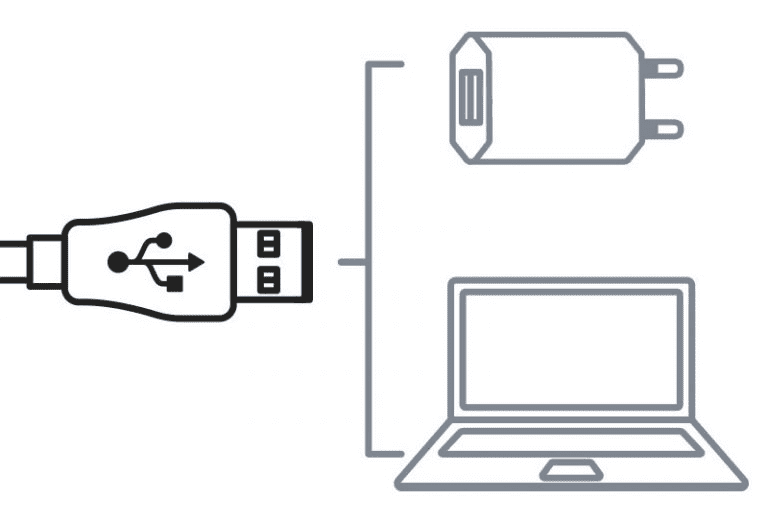
Сonnect the cable to the USB port of your computer or a USB plug adapter and turn on the power source
GoBe3 display will show the charging progress screen
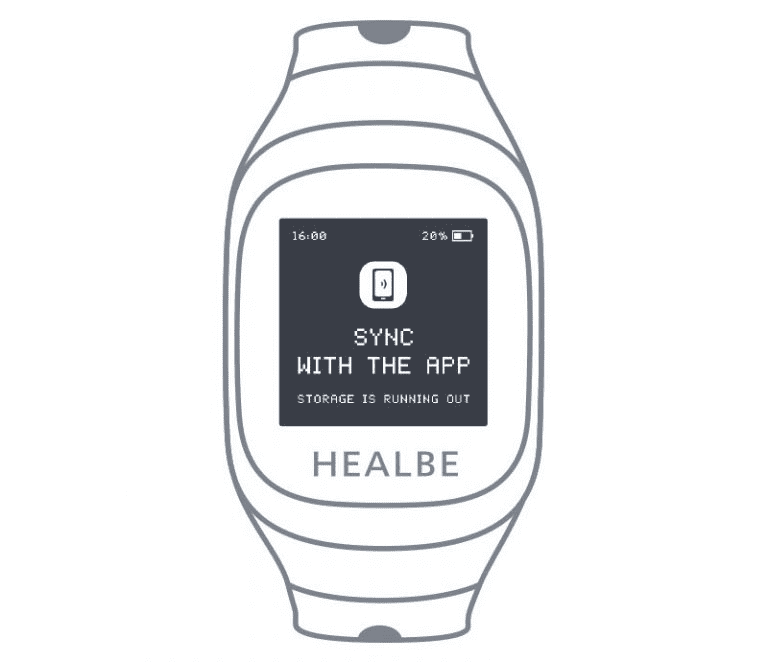
Wait until the GoBe3 display shows the welcome screen with a message that the device is ready to connect to the app
To get started with GoBe3, you need to install or update the HEALBE app on your smartphone.
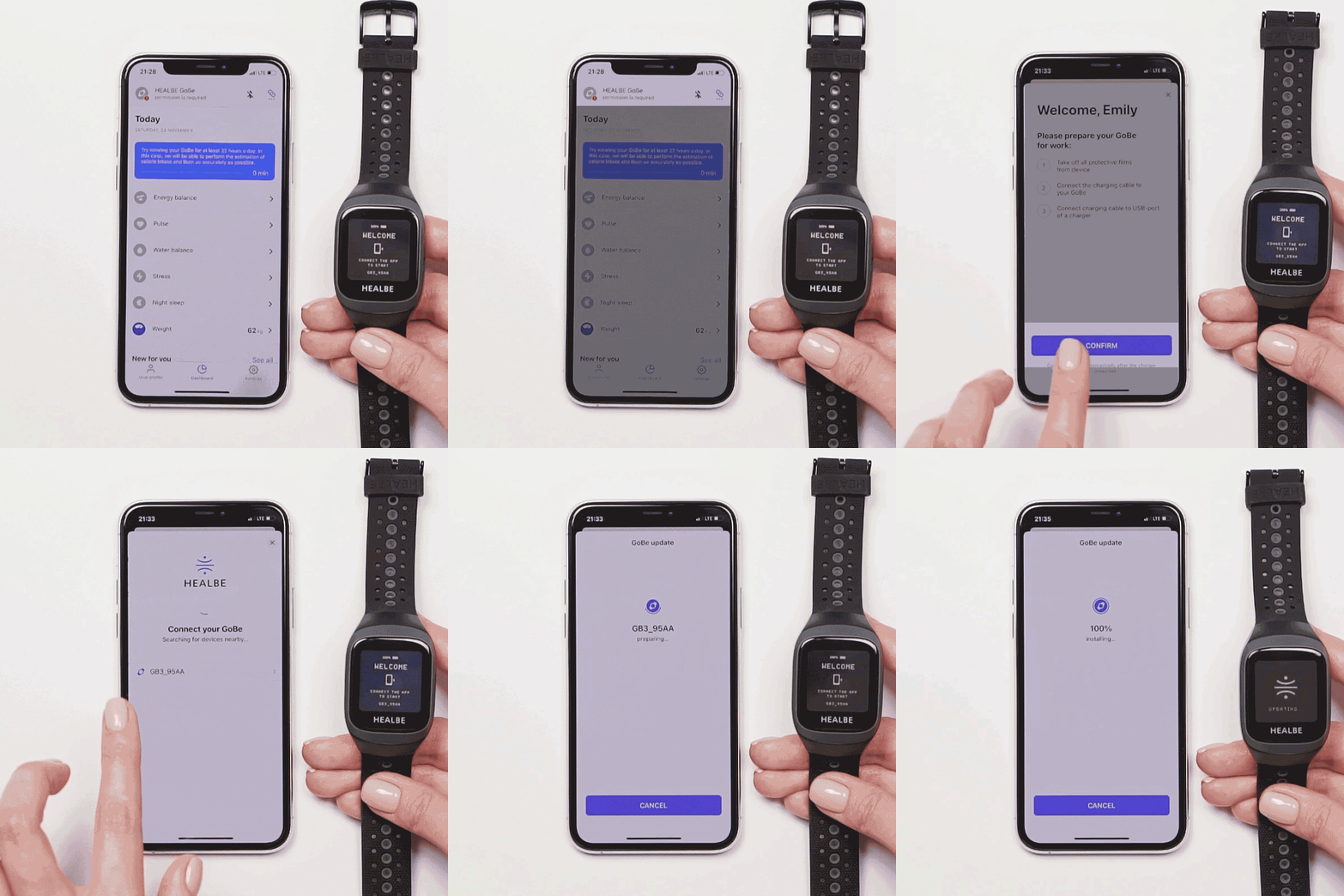
While charging, we also recommend installing the latest GoBe3 updates inside the HEALBE app. This process can take up to 50 minutes.
1. Hold your GoBe3 close to your smartphone
2. Launch the app and log in
3. If it is the first launch of HEALBE app – just follow the in-app guide inside
4. If you’ve launched the app before – go to the app’s main screen (Dashboard)
5. Tap the GoBe status bar at the top of the main screen (Dashboard)
6. Connect your GoBe3 to the app
7. Tap the “Install” button when it appears and follow the in-app guide
8. Wait for the installation end
Put on your GoBe3, it has all the latest features now
HEALBE releases new features regularly – you will surely see emails about them in your inbox.
Share your experience and find answers anytime using the HEALBE in-app chat.
Was this helpful?
Please note that HEALBE GoBe is not responsible for any content that purports to give medical advice or advice regarding fitness training, exercise, or diet. Always seek the advice of a physician or other qualified health provider with any questions you may have regarding a medical condition and prior to starting a diet or physical fitness program.